Inference Templates
Pick a model. Deploy in seconds.
Browse 393 models and 1,250 verified launch specs. Filter by accelerator model to get pre-tuned engines and launch flags.
View full image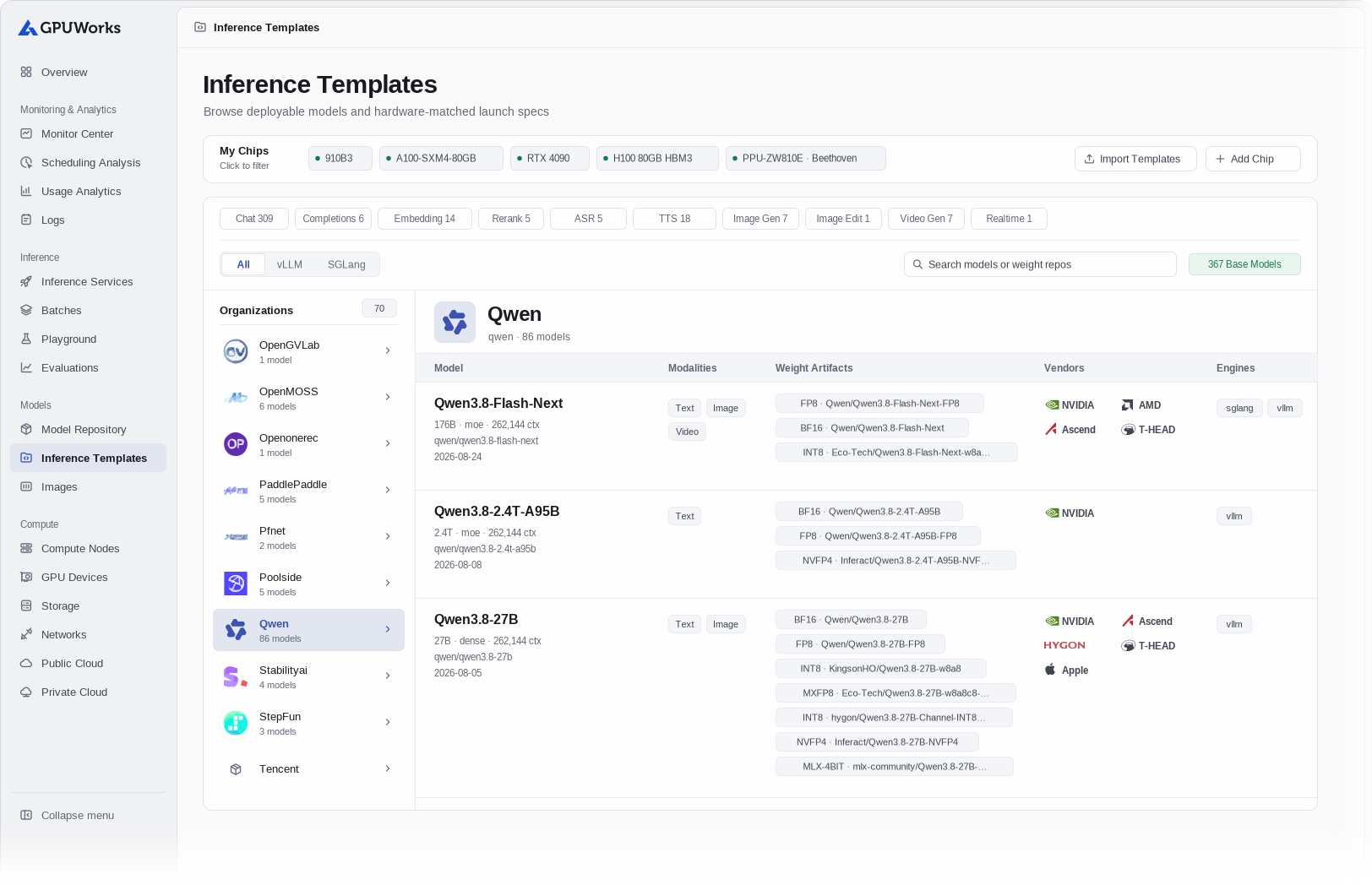
~40 MB binary · Up in 60 seconds · One command
bash <(curl -fsSL https://dl.gpuworks.ai/get.sh)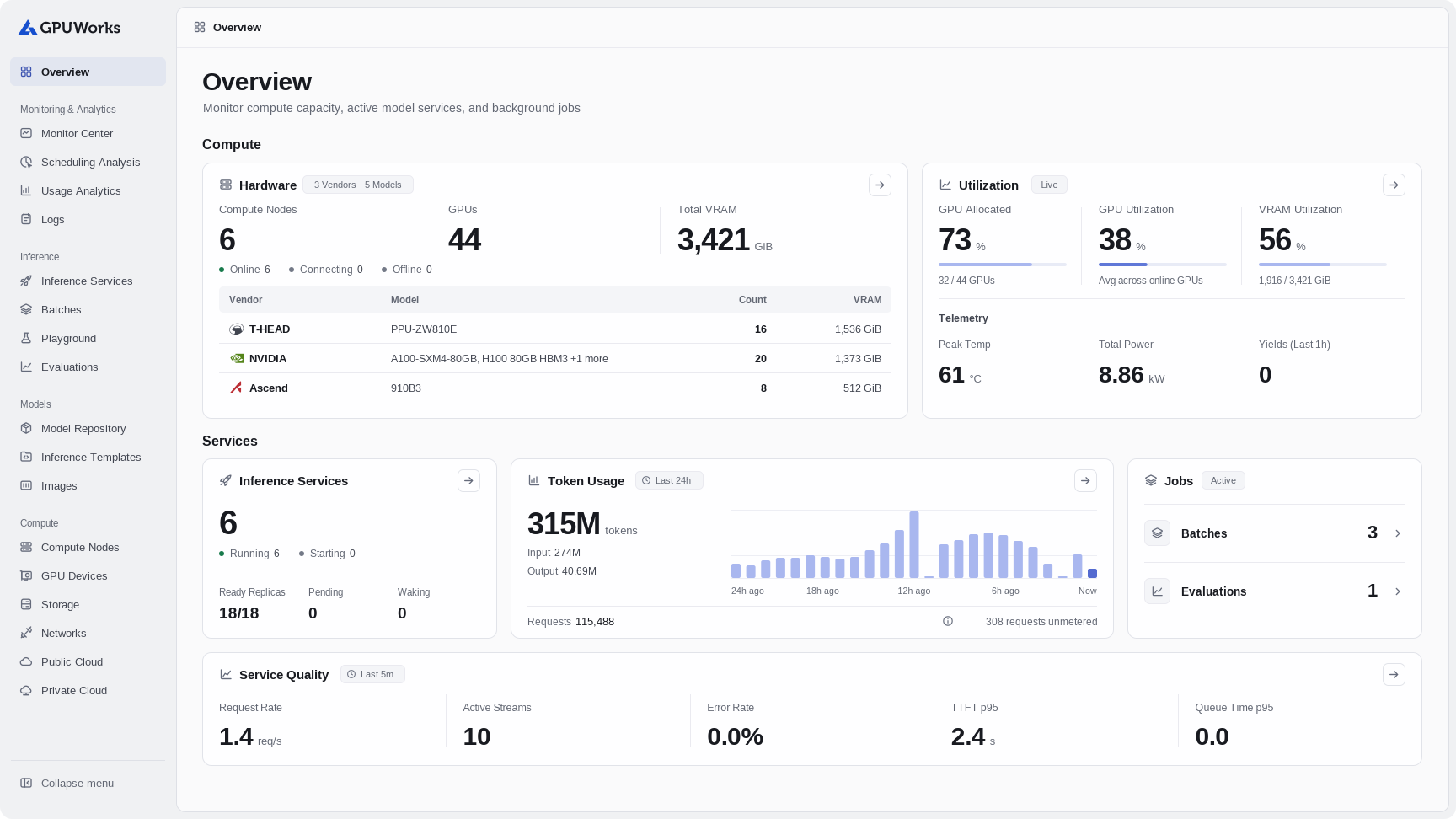
Manage your entire fleet—from cluster-wide GPU capacity down to individual inference traces—in a single console.
Pick a model. Deploy in seconds.
Browse 393 models and 1,250 verified launch specs. Filter by accelerator model to get pre-tuned engines and launch flags.
View full imageFrom cluster health to single-request traces
Correlate cluster, node, and GPU metrics in one view. Trace which replica served each request and pinpoint TTFT and token latency.
View full image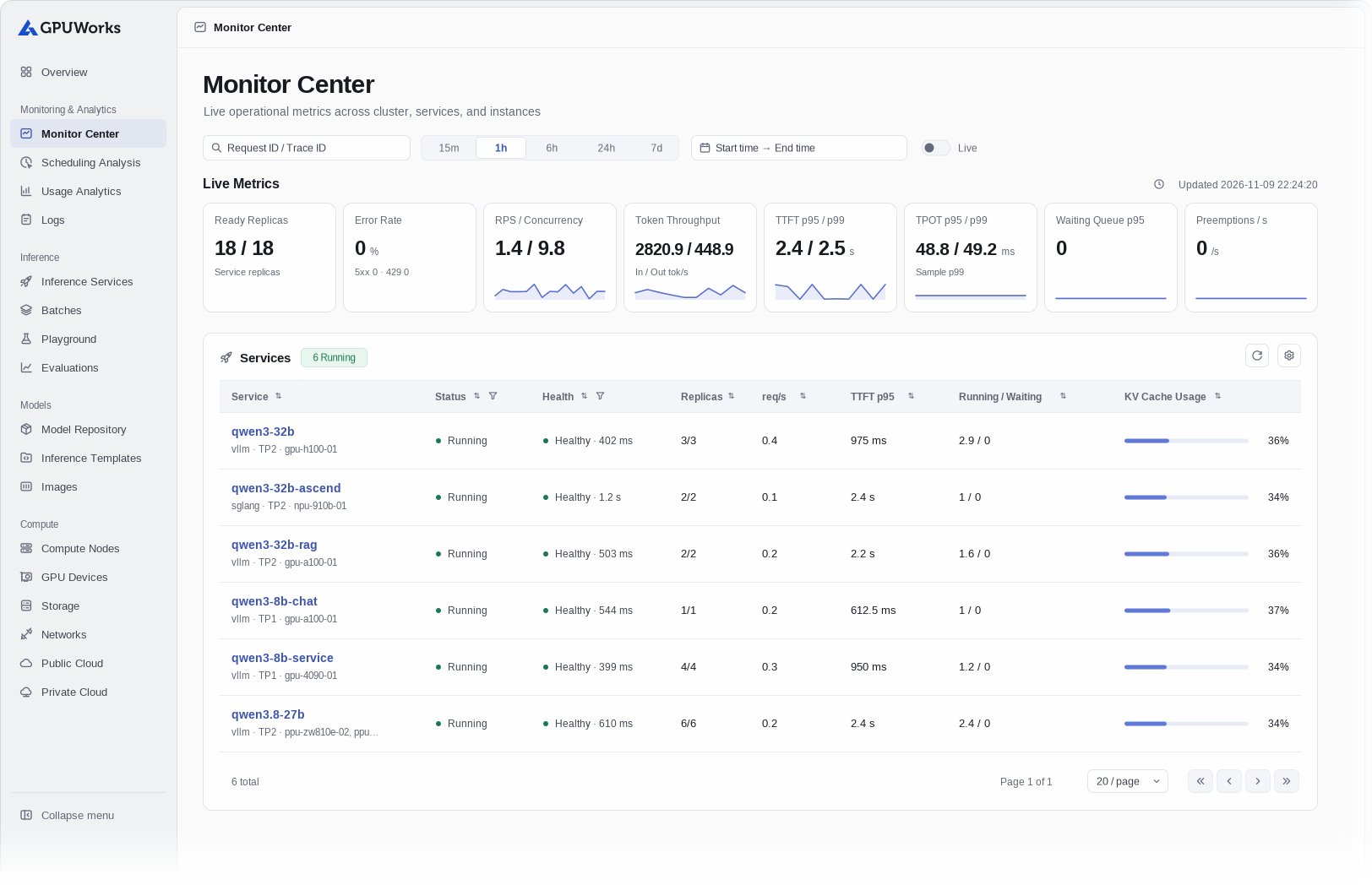
Know where workloads land before you deploy
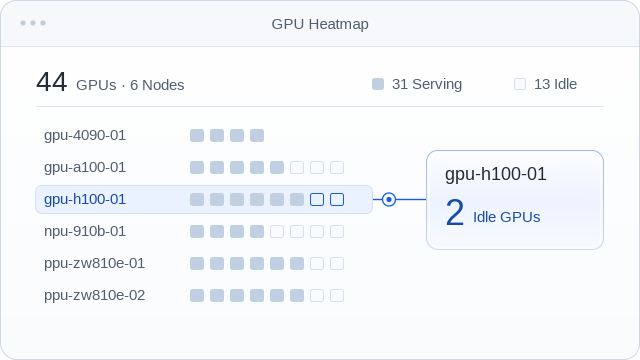
Match nodes by VRAM estimation and interconnect topology. Inspect candidate GPUs, filter reasons, live heatmaps, and scheduling logs.
View full image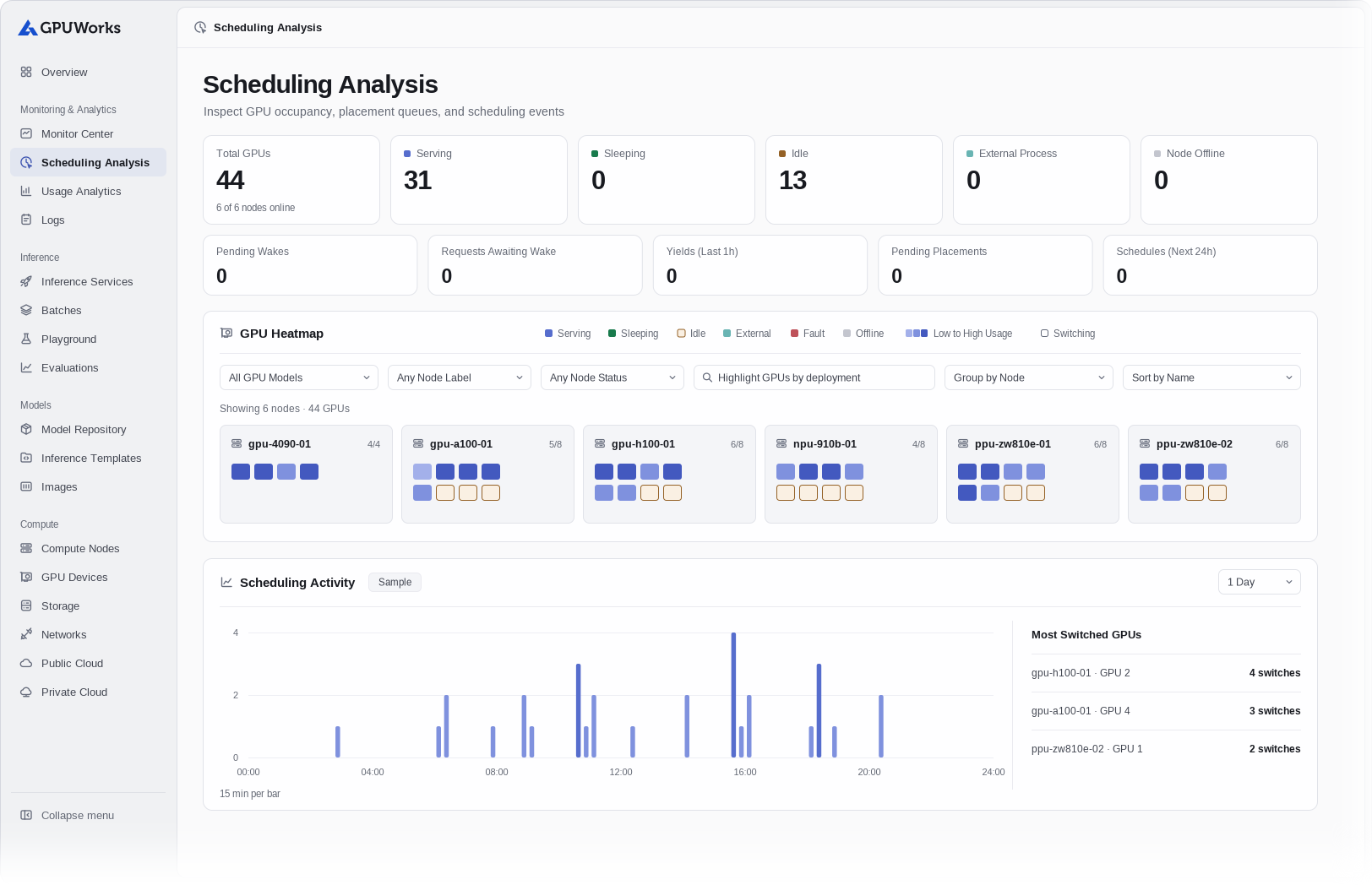
Attribute every token and GPU-hour
Break down token throughput and request trends by model or API key, paired with GPU-hour utilization.
View full image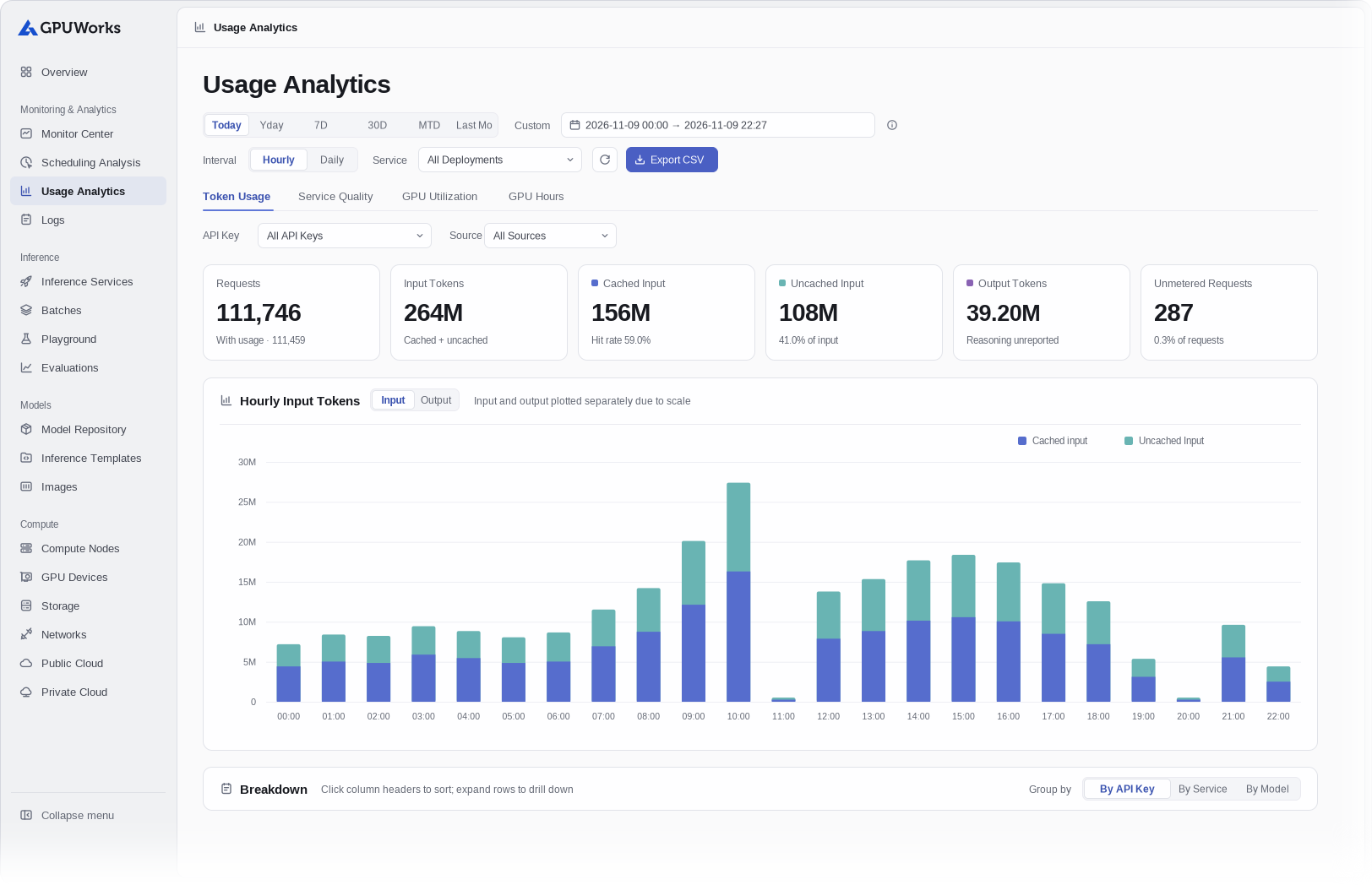







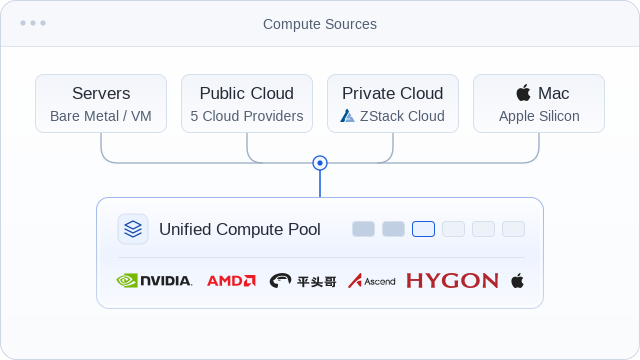
Bring GPUs across bare metal, clouds, and local workstations into one shared pool—onboarded, scheduled, and monitored together.
Onboard bare metal, public clouds, private clouds, and Apple Silicon Macs. Node agents dial out to the control plane—supporting rootless setup and air-gapped environments.
Score candidate GPUs by estimated VRAM and hardware topology, inspect exact filter reasons, and visualize capacity via GPU heatmaps and scheduling history.
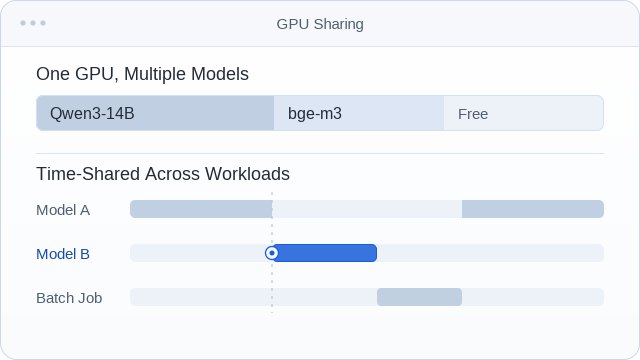
Enforce per-model VRAM quotas with dGPU slicing, and time-share GPUs via sleep/wake. Wake models on demand, run batch jobs, or switch on a schedule.
Pick a template, deploy, and call /v1. Inspect service throughput and per-request latency directly in the console.
 ModelQwen3-32B
 AcceleratorNVIDIA
/v1 GPUWorks Gateway
from openai import OpenAI
url = "http://<server>:8800/v1"
client = OpenAI(
    base_url=url,
    api_key="gw-...",
)
client.chat.completions.create(
    model="qwen3-32b",
    messages=[{
        "role": "user",
        "content": "Hello!"
    }],
)
POST /v1/chat/completions200 OKValidated across 7 cloud regions on Alibaba Cloud (Nov 2026), serving Qwen3-0.6B in a single-cluster benchmark run.
Setup guides, tutorials, and API reference
Read the docsRelease notes and binary downloads
View releasesDeep dives on scheduling, inference, and silicon
Coming soonReport issues, share feedback, and contribute
Visit GitHubbash <(curl -fsSL https://dl.gpuworks.ai/get.sh)